Get Traffic

close
PopAds.net - The Best Popunder Adnetwork

Saturday, 4 June 2011

Galaxy S II vs. Galaxy S Plus vs. Optimus 2X


Introduction

Are you ready for more heavyweight droid action, with superclocked punches thrown around and more blood on the floor? It’s time for round two of our dual-core battle of the flagships. The Samsung Galaxy S II and the LG Optimus 2X are fully updated and ready to show their best. We’ve also thrown the Samsung Galaxy S Plus in the ring to see if one, faster core is better than two slower ones.
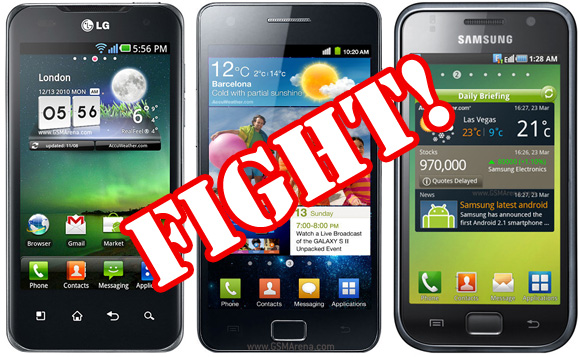

The first time around, we had a pre-release Galaxy S II on a 1GHz dual-core CPU and the Optimus 2X has since received a few firmware updates up to stock V10B, which made it noticeably zippier.
Not only that, but we also got the latest 1.2GHz Galaxy S II, we felt obligated to redo the tests now that we’ve got a final Galaxy S II with a 1.2GHz processor (updated to the I9100XWKE7 firmware). A Galaxy S Plus with a faster than usual single-core processor makes it a three-cornered fight.
Now, our Galaxy S Plus unit runs at just 1.2GHz instead of the 1.4GHz planned for the final version. Stil, we can’t wait to see if 2 x 1GHz is better than 1 x 1.2GHz – a 20% increase in clock speed should bring a big improvement in single-threaded tasks of which there are many, considering we’ve only recently entered the world of dual-core phones.
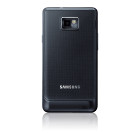
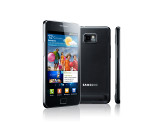
Samsung Galaxy S II official photos
Now, the Plus version could breathe new life into the old Galaxy S but it’s still using the old 5MP camera with “just” 720p video recording and the old PenTile SuperAMOLED screen.
The Samsung and LG flagships on the other hand boast 8MP cameras with 1080p video capture. And in the case of the Galaxy S II, the screen is a massive improvement.
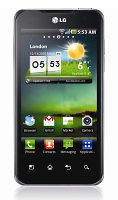
LG Optimus 2X LG Optimus 2X LG Optimus 2X
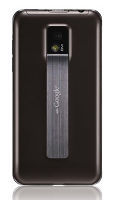
LG Optimus 2X official photos
So, here’s what we’ll cover in this repeat head to head comparison.
For starters, we’ll look at the screens again but having seen the Galaxy S, S II and Optimus 2X last time there’s nothing really new to say here – the screens of the phones are exactly as before.
After that we’ll test the 8MP sharpshooters (the Galaxy S Plus need not apply) and see if the firmware changes affected the camera. Maybe improved bitrate for the video recording has allowed finer detail in the videos, we’ll have to check.
Then, we’ll be testing the processor and graphics performance – cutting edge CPUs and GPUs simply beg to be benchmarked. Browser performance is another topic we plan to cover – it’s taxing on the system (especially with Flash) and is used almost daily.
What else? Some real-life games, of course, we shouldn’t put too much trust in benchmarks. We’ll also want to try out the GPS capabilities of the phones – it’s got nothing to do with fast processors but flagships should be good at everything, right?
Well, let the tests begin. It’s about which one’s the best if money is no object and what the latest and greatest phones can deliver.


TAG: Your tag here,

Samsung Galaxy Pro B7510 review: Utility droid


Introduction

Samsung’s QWERTY messengers have not exactly been setting the world on fire. They have done well though to set the scene for this one. The Samsung Galaxy Pro B7510 follows on the heels of Omnia and Corby. It puts Android in a time-tested form factor and is ready to entertain upgraders coming from dumbphones and PocketPCs alike.
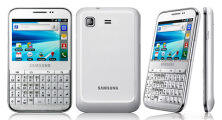
Samsung Galaxy Pro B7510 Samsung Galaxy Pro B7510
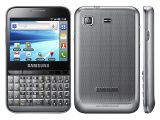
Samsung Galaxy Pro B7510 official pictures
The Galaxy Pro has a clear objective – deliver the full Android experience, a good social package and hassle-free messaging. What does it need to meet those tasks? Well, a comfortable QWERTY keyboard obviously, possibly a touchscreen, enough processing power and at least some basic shooting skills to capture the important moments. Of course, a messenger is nothing without a proper OS and this is where the Android Froyo comes in. But let’s see what else the Galaxy Pro has to offer.

Key features

  • 2.8" 256K-color TFT capacitive touchscreen of QVGA (240 x 320 pixels) resolution
  • Full four-row QWERTY keyboard
  • ARMv6 800MHz CPU, 270MB RAM, 180MB of user-available storage
  • Android 2.2.2 (Froyo) with TouchWiz 3.0 UI
  • Quad-band GSM and dual-band 3G support
  • 7.2 Mbps HSDPA
  • Wi-Fi 802.11 b, g, n with hotspot functionality
  • GPS with A-GPS connectivity; digital compass
  • 3.15 MP autofocus camera
  • QVGA video recording @30fps
  • microUSB port (charging) and stereo Bluetooth v3.0
  • microSD slot (up to 32GB, 2GB in box)
  • Standard 3.5 mm audio jack
  • Accelerometer and proximity sensor
  • Document viewer out of the box, paid editing
  • Stereo FM radio with RDS
  • Light and compact
  • Smart dialing

Main disadvantages

  • The QVGA screen looks bad and limits the choice of apps
  • Portrait homescreen ported to landscape takes some time getting used to
  • QVGA-only video recording
  • No shutter key
  • No Adobe Flash support in the browser
  • No secondary video-call camera
  • No ambient light sensor
  • No dedicated video player app
  • No multi-touch
  • Android 2.2 Froyo, instead of latest Android 2.3 Gingerbread
It should be clear by now the Galaxy Pro B7510 isn’t your typical Android powerhouse for HD video, quality imaging or heavy-duty internet browsing. Gaming is out of the picture too. To be honest, the Galaxy Pro doesn’t quite make the grade as a BlackBerry competitor. To make up for it, it is social and friendly – and a great texter too. Virtual keyboards have been getting better but the Galaxy Pro’s superbly laid-out keypad is the prefect addition to Gmail.
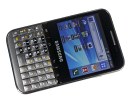
Samsung Galaxy Pro B7510 Samsung Galaxy Pro B7510 Samsung Galaxy Pro B7510 Samsung Galaxy Pro B7510
Samsung Galaxy Pro B7510 live shots
So the Samsung Galaxy Pro B7510 it is and, although this is not the typical Android package, let’s hope the experience is up to scratch. With a handful of Samsung Ch@ts, Corbies and Omnia messengers gone almost unnoticed, we’re about to see if our Galaxy Pro here has what it takes to leave a mark. Our traditional hardware check-up is due right after the break.


TAG: Your tag here,

Thursday, 2 June 2011

Download Video Converter 3.61 Terbaru

Total Video Converter 3.61 Terbaru – Beberapa saat lalu sempat kesal karena download video tapi tidak bisa dilihat di HP, karena formatnya tidak mendukung. Langsung saja ane browsing review semua video converter terbaik dan akhirnya jatuh hati pada Total Video Converter 3.61 full version. Total Video Converter 3.61 full version ini merupakan versi terbaru. Berikut fitur-fitur terbarunya.

Features of Total Video Converter 3.61:
1. Convert all kinds of videos to mobile videos or audios (mp4, 3gp, xvid, divx mpeg4 avi, amr audio) which are used by cell-phone, PDA, PSP, iPod, iPhone, Xbox360, PS3 etc.
2. Photos slide show combines multi-photos and musics with more than 300 photos fantasy transition effect
3. High compatibility and high efficiency for Importing RMVB or RM video/audio
4. Convert various videos to MPEG videos compatible with standard DVD/SVCD/VCD
5. Burn the converted videos to DVD/SVCD/VCD
6. Rip DVD to popular videos of all sorts
7. Extract audio from various of videos and convert which to all kinds of audios (mp3, ac3, ogg, wav, aac)
8. RIP CD to audios of all sorts directly
9. Support using with command line
10. Combine several video and audio files to one video file
11. Demultiplex or extract video and audio
12. Multiplex video and audio to one file

Tampilan Total vodeo converter 3.61

Toal video converter


Download :

Total vodeo converter 3.61

Serial number Total vodeo converter TVC 3.61


TAG: Your tag here,

Cara Instalasi Windows Seven 7 + Gambar

Cara install windows seven 7 – Proses instalasi windows 7 sangat berbeda dengan proses instalasi windows xp yang kebanyakan digunakan. Kali ini kita akan membahas langkah-langkah cara menginstall windows seven 7.

Langkah-langkah menginstall windows seven 7
1. Siapkan DVD instalasi Windows Seven (7) dan catat serial numbernya
2. Atur agar komputer booting dari dvd, pengaturan dilakukan lewat bios, bisanya tekan delete atau f2 ketika komputer baru dinyalakan pilih setingan booting kemudian pilih dvd rom menjadi urutan pertama. simpan konfigurasi bios dengan cara menekan f10.
3. Masukkan DVD Instalasi
4. Tekan tombol mana saja jika muncul tulisan boot from cd or dvd
5. Muncul tampilan seperti dibawah
cara instalasi windows 7
6. Selanjutnya muncul tampilan seperti di bawah, klik next
cara instalasi windows 7
7. klik Install Now
cara instalasi windows 7
8. Beri tanda cek dann klik next
cara instalasi windows 7
9. Karena kita sedang melakukan clean install maka pilih yang Custom (advanced)
cara instalasi windows 7
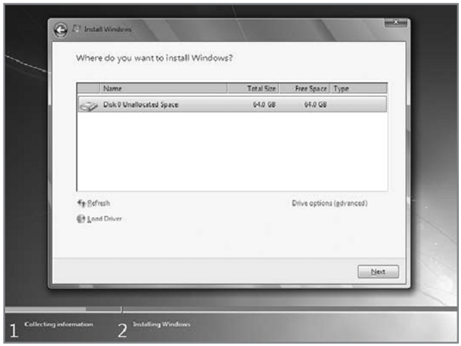
10. Pilih partisi yang akan dipakai untuk menginstal windows seven (7), contoh di bawah hardisk belum di bagi2 kedalam beberapa partisi, jika ingin membagi kedalam beberapa partisi sebelum proses instalasi pilih Drive options (advanced) disitu kita bisa membuat, menghapus dan meresize partisi. tapi dari pada bingun untuk yang pertama kali instalasi windows mending langsung pilih next saja, toh pembagian partisi bisa dilakukan setelah proses instalasi selesai.
cara instalasi windows 7
11. Proses instalasi dimulai….. proses instalasi ini memakan waktu yang cukup lama..
cara instalasi windows 7
12. Setelah proses di atas selese komputer akan otomatis restart sendiri. kumudian muncul seperti dibawah
cara instalasi windows 7
13. Ketikkan nama user dan nama computer anda
cara instalasi windows 7
14. Kemudian isikan password untuk keamanan komputer anda. Jika tidak isi komputer anda tidak ada passwordnya.
cara instalasi windows 7
15. Masukkan Windows Product key yang sudah dicatat di awal tadi, jika tidak ada anda mendapat masa trial windows 7 selama 30 hari
cara instalasi windows 7
16. Selanjutnya setingan apakah windows akan otomatis meng update atau tidak
cara instalasi windows 7
17. Kemudian setingan time zone
cara instalasi windows 7
18. selesai..
cara instalasi windows 7
Sekian dulu cara menginstall windows seven 7 plus gambar. Selamat mencoba….


TAG: Cara Instal Ulang windows seven + gambar

Download WinRar 4.65 Full Version

WinRAR merupakan salah satu program yang memiliki banyak fungsi yang cukup populer dibidang pengompresan data. Dengan program ini kita bisa mengkompres file-file apa saja. jadi jika di PC kita banyak terdapat file2 yang berserakan maka kita bisa menyatukannya dengan program ini dan file2 yang kita satukan itu juga secara otomatis akan ter kompress file sehingga tentunya akan menghemat space hardisk di PC kita.

Fiture lainnya dari WinRar 4.65 Full Version ini adalah mendukung semua format kompresi populer ( RAR, ZIP, CAB, ARJ, LZH, ACE, TAR, GZip, UUE, ISO, BZIP2, Z and 7-Zip ). Dan jika menurut anda ada folder-folder ataupun file – file penting yang harus dan tidak ingin orang lain membukanya maka dengan program ini kita bisa memberi sebuah password di folder ataupun files itu.


WinRar 4.65 Full Version


Download


TAG: Download winrar 4.65 Full version, download winrar terbaru

Aiseesoft Total Media Converter 5.2 Full Patch

Aiseesoft Total Media Converter adalah benar-benar media converter all.in.one yang dipaketkan konverter DVD, video converter untuk pengguna multimedia untuk mengkonversi file video.audio, DVD rip ke format video.audio lain seperti MPEG, AVI, MOV, FLV , SWF, MP3, AAC dan yang lainnya. Fungsi pengeditan yang lebih berguna juga tersedia bagi Anda untuk menyesuaikan dengan menggunakan Aiseesoft Total Media Converter 5.2, mengatur efek output file, memotong setiap klip time.length, tanaman wilayah memutar video, mengedit watermark dan bergabung klip yang dipilih file ke dalam satu kesatuan.

Aiseesoft Total Media Converter 5.2.20

Fitur Aiseesoft Total Media Converter 5.2 :
1. Convert DVD
DVD Converter This Media Converter can rip DVD to any other video.audio formats AVI, MPEG, WMV, MP4, RM, MOV, 3GP, VOB, FLV, MP3, WMA, etc and HD video.

2. Convert various video audio formats
Video Converter With Aiseesoft Total Media Converter, you can also convert between any video.audio formats like HD video and AVI, MPEG, WMV, MP4, H.264.AVC, MOV, MKV, AVCHD, 3GP, etc.

3. Valuable editing functions
Adjust the output video and audio effect, trim any time.length clips, crop video play region, add image or text watermark and join the separated files into a whole one.

Download Link :

Aiseesoft Total Media Converter 5.2

Patch Aiseesoft Total Media Converter 5.2


TAG: Aiseesoft Total media converter download, download aiseesoft converter full version, download aiseesoft converter 5.2 full

Download Yahoo Messenger 11 Beta

Yahoo Messenger adalah program instant messenger yang populer yang disediakan oleh Yahoo. Messenger tersedia secara gratis dan dapat didownload dan diakses menggunakan ID Yahoo yang digunakan untuk mengakses layanan Yahoo lainnya, seperti Yahoo Mail. Kini Yahoo telah merilis versi terbaru dari yahoo messenger 11 beta. di yahoo messenger versi terbaru terdapat banyak fitur tambahan, seperti facebook chatting.

yahoo messenger 11

Fitur baru dari yahoo messenger 11:
* IM On Mobile
Enjoy your chats on the go through your iPhone, Android or any Internet enabled phone.
* Always On Chats
Always stay signed in to your chats and never miss any conversation, whether you are at home, at work or on your mobile device.
* Buddy vs. Buddy
Challenge your friends in a series of social games, including Mafia Wars™ and Fishville™.
* Facebook™ Friendly
Now you can chat with your Facebook™ friends right from your Messenger.
* Share Away, All From Here
Share and update your status, post comments and keep up with your conversations across Facebook™, and Yahoo! all from your Messenger.

Download : Yahoo Messenger 11 beta Offline installer